
Shoreline EOR vs Remote EOR
Remote charges you to employ your Canadian team. Shoreline pays you back.
Shoreline is a Canada-focused employer of record with 5% cashback on employees and 3% on contractors. No other EOR offers cashback, including Remote. And on a real Remote invoice, Shoreline cost 56% less per employee, before cashback.
Your comparison request is in.
We'll build your side-by-side report and get back to you.
Book a time to walk through it Back to the formWhere Shoreline wins
Two things Remote can't match.
Remote is a global employment platform. Shoreline does one country, Canada, and builds the economics around it.
Only at Shoreline
Rewarded on every Canadian payroll.
5% of total gross salary for employees and 3% for contractors, calculated at year end and visible instantly in your portal. No other EOR offers this. With Remote, the same team earns you nothing back.
Calculate your cashback →Price
56% less, on a real invoice.
On one client’s June 2026 Remote invoices, Remote cost $1,291.48 per employee per month all in. Shoreline costs $569: the $349 admin fee plus $220 for its optional benefits plan. Pricing is flat and published.
On list price, Remote’s EOR fee is $599 per employee per month on annual contracts. Shoreline’s $349 is $250 less a month, or 42% lower ($3,000 a year per employee), before cashback. Shoreline is also 42% below Deel and 30% below Rippling on list price. Source: Remote pricing, checked November 2026.
Head to head
Shoreline EOR vs Remote EOR
| Shoreline | Remote | |
|---|---|---|
| Admin fee (list price) | $349 per employee per month | $599 per employee per month, on annual contracts |
| Geography | Canada only | Worldwide |
| Cashback | 5% of gross salary for employees, 3% for contractors, calculated at year end | Not offered |
| See your cashback | Instantly, in the Shoreline portal, as payroll runs | Not applicable |
| Pricing | $349 per employee per month, or $1,499 per month for up to 5. Enterprise custom. | $599 per employee per month on annual contracts, no base fee. Benefits billed on top. |
| Benefits | Optional: $220 per employee per month | Basic and comprehensive plans |
| Family coverage | Included at family rates | Added cost per dependent |
Remote pricing structure from a real June 2026 Remote invoice reviewed by Shoreline.
A real comparison
Five people in Canada, on Remote's actual invoice.
A U.S. company with five employees in Canada shared its June 2026 Remote invoices. Here is the monthly cost per person, before any cashback.
Remote, per employee per month (USD)
Shoreline with benefits, per employee per month (USD)
Company and employee names withheld. Figures from the team's invoices and Shoreline's proposal. Your numbers will differ.
Benefits
Basic or comprehensive. Same as Remote.
Shoreline offers one optional plan at $220 per employee per month, covering health, drugs, dental, paramedical, vision, life and disability. Family coverage is included at family rates. Your comparison report covers every line.
See Shoreline's benefits →See how you compare
Bring your last invoice. We'll do the math.
Fees, benefits, cashback and net cost for your actual team, side by side.
Fees
Shoreline's fees, in the open.
$349
per employee per month
$1,499
per month for up to 5 employees
Custom
set after a call with our team
Other providers
Using someone else? We'll compare that too.
Shoreline vs Deel
Deel’s list price against Shoreline’s.See how you compare →Shoreline vs Rippling
Rippling’s list price against Shoreline’s.See how you compare →Shoreline vs Oyster
Fees, benefits and cashback for your Canadian team.See how you compare →Your own entity
Running payroll yourself? See what an EOR would change.See how you compare →FAQ
Comparison questions
Is Shoreline cheaper than Remote?
Yes. In a real comparison of a five-person Canadian team, Remote cost $1,291.48 per employee per month all in, against $569 with Shoreline (the $349 admin fee plus the optional $220 benefits plan): 56% less before cashback. With 5% cashback on a $150,000 salary, the gap grows to about 91%.
Does Remote offer cashback?
No. Shoreline is the only EOR that offers cashback: 5% of total gross salary for employees and 3% for contractors, calculated at year end and visible instantly in your portal.
Are Shoreline's benefits as good as Remote's?
Shoreline offers an optional plan at $220 per employee per month. Shoreline includes family coverage at family rates. Your comparison report compares every line.
What do you need from us to build a comparison?
Your current provider, Canadian headcount, and what you pay per employee today. Your latest invoice is the easiest source. Company-level figures are enough to start.
Do you need employee names or payroll records?
No. Don't send employee files through this form. If you move forward, detailed information is collected later through an approved secure process.
Does requesting a comparison commit us to switching?
No. The comparison helps you decide whether a switch is worth pursuing. You can review it before speaking to your current provider.
How is cashback counted in the comparison?
Cashback appears as its own line: 5% of total gross salary for employees and 3% for contractors, calculated at year end. Fees and benefits are compared before cashback.
Switch to Shoreline
How to switch from Remote
Keep your team. We compare what you pay today, show you the savings and cashback, then handle the move.
A considered transition, not a promise of an instant transfer.
Step zero
First, establish who employs your team today.
Another EOR
Review provider commitments, employment documents, benefits, and payroll cutover.
Your own Canadian entity
Assess whether an EOR is appropriate and what a change would require.
Independent contractors
Assess the working relationship first. Moving into employment is not just changing the payment provider.
A mix of arrangements
Review each group separately rather than assuming one transfer process fits everyone.
If you have selected a candidate but have no existing arrangement to transfer, start with Canadian EOR.
Transition checklist
A transition plan your employees can understand.
Not a fixed timeline, and not a promise that every employment term carries over unchanged.
- 1
Map today's arrangement
Identify the current legal employer, employee locations, contract terms, and relevant dates.
- 2
Confirm Shoreline's fit
Agree on coverage, services, fees, and cashback terms.
- 3
Review employment details
Assess documentation, recognized service, accrued entitlements, compensation, benefits, and communication requirements with the appropriate advisers.
- 4
Set the cutover
Coordinate final and first payroll, funding deadlines, and outstanding provider tasks.
- 5
Check the setup
Confirm the required documents, payroll arrangements, employee support contacts, and cashback enrollment.
The work can stay familiar. The employment details need attention.
An EOR transfer can change the legal employer even if your employees continue doing the same work for your team. Make sure they understand the proposed documents, benefits, payroll dates, and support route before the transition.
You should know what stays the same, what changes, and what requires individual review. An informed employee experience matters as much as a clear business case.
Cashback belongs in the proposal, not in the assumptions.
Confirm which employees and amounts are eligible, when participation begins, and what happens if employment ends or your agreement changes. Do not assume eligibility applies to payroll from before the Shoreline arrangement.
In your portal
Your Canadian team, in one place.
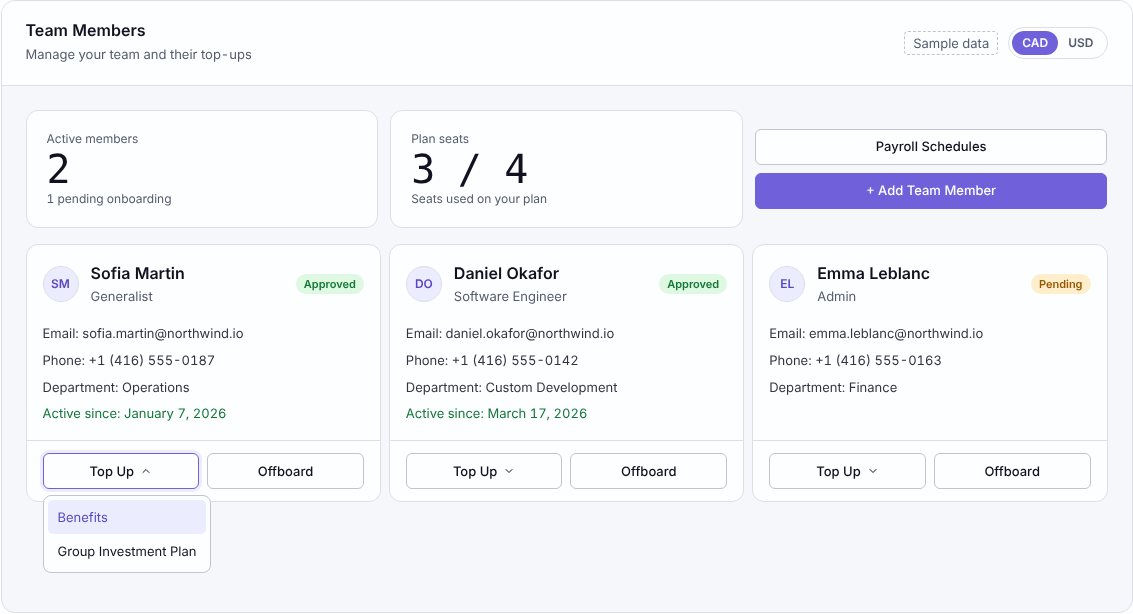
Add team members, follow onboarding, and manage top-ups and offboarding from one portal.
FAQ
Switching questions
How long does it take to switch EOR providers in Canada?
The timeline depends on your current agreement, employee documentation, benefits arrangements, and payroll deadlines. A target date should follow the review, not precede it.
Will salaries, benefits, and employment terms stay the same?
Those details must be reviewed and agreed before transfer. Do not assume they remain identical simply because the employee's daily work stays with your company.
Can we move only the Canadian part of our workforce?
That scope can be assessed against your current provider contracts and operating setup. Your proposal should explain how the Canadian arrangement would coexist with the rest of your workforce.
Do we have to leave our current provider before starting a review?
No. You can review fit and proposed terms before deciding to proceed; confirm existing notice and contractual obligations before taking any transfer action.
What should we check in the EOR service agreement?
Check the employing entity, scope, fees, payroll funding, support, liability, termination, transition responsibilities, and cashback terms. Obtain legal advice on obligations that affect your company or employees.